


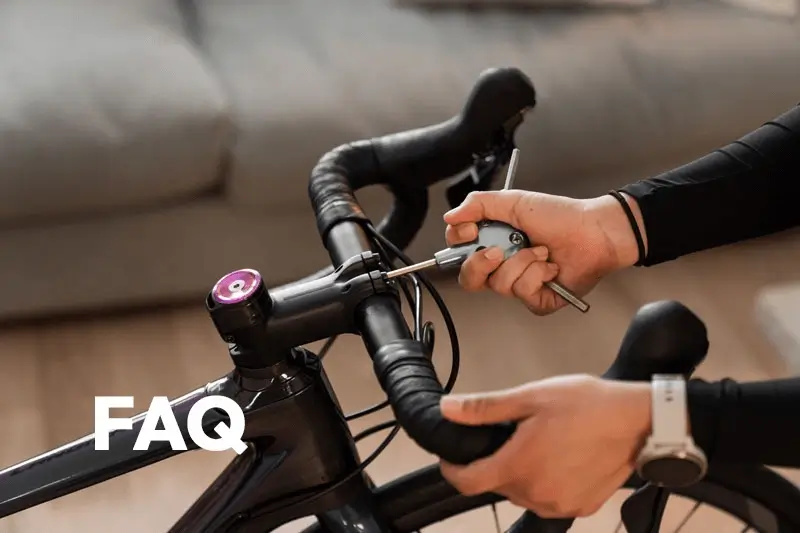


Fit Academy: FAQ
Get answers to the most frequently asked questions about bike fitting, sizing, and setup.
General
1What’s the difference between bike sizing and bike fitting?
The short answer is that bike sizing is the process of choosing the right size of bike, and fitting is the process of adjusting the bike to suit your body and riding needs. To understand more about how these processes are separate but deeply related, check out our full blog post on the topic.
2How does MyVeloFit’s online bike fit work?
Our online bike fit process is designed to mirror the process used by professional fitters around the world. If you've had a bike fit before it should feel quite familiar, and if it's your first time rest assured it’s tried and tested. At it’s core our online bike fit includes 5 steps:
- Complete a mobility assessment
- Set goals for your bike fit (bike type and fit goals)
- Record and upload a riding video (on your trainer)
- Analyze results & make adjustments
- Adapt to changes
3Is online bike fitting as effective as in-person fitting?
It absolutely can be for many riders, while others will benefit more from an in-person fit with an experienced bike fitter. Bike fitting is a very individual experience which is one of the reasons we provide personalized recommendations to every rider to get the best results possible. However, for some riders there will be issues that are best resolved with the guidance and assistance of an experienced fitter. Whether this comes through our Expert Review process, or an in-person fit, some rider will find experienced personal assistance more helpful.
At MyVeloFit we’re committed to help every rider improve their riding experience. To help remove any doubts, if we’re not able to help you improve your riding position within 30 days, we’ll give you your money back so you can seek out another approach.
4What equipment do I need for my online bike fit?
You need a few basic things to use MyVeloFit:
- A bike
- A stationary bike trainer or rollers
- Any camera or phone that takes video (and something to hold it)
- A way to upload that video to our website
- A stationary bike trainer or rollers
5I looked for MyVeloFit in the app store but can’t find it? How do I start?
MyVeloFit is a web app, so you won’t find us in the app store. You can simply sign up and login to our website from any device on the browser of your choosing.
Bike Fitting
1How do I get set up for my online bike fit?
Once you’re signed into your account you’ll be walked through all the steps necessary to complete your fit including properly setting up your bike on its trainer, lighting, camera placement, and video settings. If you’d like to understand what’s involved ahead of time, you can read our setup instructions here.
2Do I really need a trainer or rollers to do a fit?
Yes, to complete a fit accurately the software needs to be able to analyse you pedaling in a stationary position with some resistance on the pedals. If you don’t have a trainer yourself we generally recommend asking a friend or reaching out to your local cycling community to see if someone is willing to lend you one.
If you are unable to find a trainer, some riders have had success leaning with their shoulder up against a wall and pedalling backwards. Please be aware that we cannot guarantee results when used in this manner or their reliability.
3Will my bike fit recommendations be tailored for my specific cycling discipline? (e.g., road, MTB, triathlon)
Absolutely! We currently offer six bike types you can select for your fit:
- Road
- Gravel/ CX
- MTB
- Triathlon
- Time Trial
- Spin/ Exercise
4How long does it take to receive my bike fit recommendations?
Once you’ve uploaded your riding video, it takes approximately 90 seconds for your results to be generated. This time can vary a little depending on your internet speed and how many riders are completing a fit.
5What is included in my bike fit report?
6How often should I get re-fitted?
While there isn’t a single answer to this question, here are a few indicators that you might benefit from checking in on your fit:
- You’re experiencing pain or discomfort on the bike
- Your fitness has changed significantly
- Your mobility and flexibility has notably changed
- You’ve had an injury that impacts how you feel when cycling
- You’ve bought a new bike or new equipment such as pedals, shoes, saddle, handlebars, etc.
7Can your software help me set up cleats?
As changes in cleat position can have broader impacts on your fit, MyVeloFit’s software can identify and respond to changes in cleat position but does not provide cleat positioning recommendations. Luckily, we’ve developed a helpful guide to help you set up your cleats just as we would.
Technical Support & Troubleshooting
1Can I fit my bike from both sides?
You sure can! Uploading a video from either your left or right side is exactly the same process and can be completed in the same fit session. Be sure you place your camera consistently relative to your bike on both sides to ensure consistent results. Many riders have some asymmetry between left and right, so don’t be surprised if they aren’t exactly the same.
2Can you transfer my fit from bike X to bike Y?
While we do not have a dedicated tool for transferring your fit between bikes, using MyVeloFit can be incredibly helpful to help you transfer your fit. What we recommend is starting a fit session for the reference bike to have a complete set of measurements of your body's position. Then use our easy guide to measuring your bike to document the bike’s measurements. Use those measurements to set up the bike you’d like to transfer the fit to, then finalize your fit by using MyVeloFit to confirm your body is in the same position as the reference bike.
Though transferring the bike measurements alone seems as though it should be sufficient, unless you’re transferring the fit between two identical bikes this is rarely the case. Differences in components often required small tweaks and adjustments to the fit to achieve the same rider position.
3How does the 5 videos/day limit on the Enthusiast fit work?
The 5 video daily limit works on a 24hr rolling clock so that no matter what time zone you’re fitting from, you get access to 5 video uploads every 24 hours.
So what does this look like?
Let’s say you upload your first video at 10am on a Saturday and proceed to upload four more videos throughout the day, so you hit the 5 video limit. On Sunday, you will gain access to your next video upload at 10am (24hrs later) and then each following upload 24hrs after the other videos you had uploaded on Saturday.
If this sounds restrictive, don’t worry too much. Most riders don’t need 5 videos on any given day and in fact we’d generally advise against it. If you’ve uploaded 5 videos, and made 5 rounds of adjustments, this is usually a good time to just ride your bike and get use to some of the changes. You may not be done with your fit, but letting your body adapt slowly often helps make the process feel more natural.
4How do I delete a fit session?
If you have a Pro plan it’s quite easy to delete a fit session. Simply select the session you’d like to delete, then click the big blue “Edit” button to the right of the session header. Scroll to the bottom of the page, and you should see a big red “Delete” button.
For Enthusiast users it is not possible to delete a fit session as the Enthusiast fit includes a single fit session. If you believe you may have made a mistake in setting up your session, simply reach out to our support team at support@myvelofit.com.
5How do I change my fit goal?
As your fit goal is a key determinant of the recommendations we provide, it is not possible to change the fit goal in a session once it has been created. For Pro users, the easiest path forward is simply to create a new session with the fit goal you’d like. For Enthusiast users if you believe you may have made a mistake in setting up your session, simply reach out to our support team at support@myvelofit.com
6My bike can’t make the adjustment you’re recommending, is the software broken?
While bike fitting is about bringing together the rider and bike to work better together, it is perhaps more accurate to think about it as adapting the bike to work for the rider. The recommended adjustments provided in your fit report provide the changes to the bike required to move your body towards a better riding position for you. Unfortunately if your bike has run out of adjustments, this is a good indication the bike is not the right size/geometry for your needs.
But no need to jump to conclusions just yet. There are often acceptable compromises that can be made to help get you through. If this is something you run into we’d encourage you to reach out to our support team (support@myvelofit.com) to see if they have suggestions for you.
7Do you have front or rear view video options?
Not yet. Videos from the side (or the sagittal plane) allow most riders to assess and resolve the vast majority of issues they face. While front and rear videos can be helpful under some circumstances, such as knee tracking, these issues tend to be quite complex in nature and do not have clear cut solutions. If you believe this is a level of analysis you would benefit from, an in-person fit with an experienced fitter could be a great option for you.
Account & Services
1Are there different packages or levels of service available?
We offer a variety of product options to cater to every rider’s needs. Our pricing page has a full breakdown of what is included with each option.
If you’re a bike fitter, coach, or bike shop looking to use MyVeloFit in your business, visit our business pricing page for more details.
2Can I fit more than one bike?
Our Pro plan lets you fit as many of your own bikes as you’d like!
3Can I start with an Enthusiast fit and upgrade to a Pro plan later?
Absolutely! If you purchase an Enthusiast fit you can upgrade to a Pro plan for only the difference in price for up to 1 year from purchase. You can do so from any of the links in your account and the rebate will be applied automatically.
4I’ve got a road bike with aero bars that I use for triathlons. Is an Enthusiast plan sufficient to fit both the aero and road positions?
Great question. Fitting a road bike for triathlon can be a tricky undertaking which we outline in this blog post. In short, it involves completing two separate fits, the road position and the aero position, then making compromises between the two. Our Enthusiast plan will allow you to fit either the road or aero position, but not both. For a comprehensive experience we recommend the Pro plan so you can fit both the road and aero positions.
5Do you have a plan that also lets me fit my husband/wife/kid/etc?
We don’t currently offer a family plan, so each rider in your household will require their own account. We know this can get expensive, so if you reach out to our support team (support@myvelofit.com) we’ll see what we can do to help.
6How can I cancel my Pro plan subscription?
You can stop the auto-renewal of your subscription from this page. Alternatively, you can access it by going to your Profile Page, then click on Account Settings >Configuration and Billing > Manage Billing. You will be redirected to the payment provider page where you can cancel the subscription.
7Is there a guarantee or refund policy if I'm not satisfied with my bike fit?
We believe that everyone deserves to be comfortable on their bike, and in pursuit of this mission we stand behind the quality and effectiveness of our bike fit product through our 30 Day Better Fit Guarantee. If within 30 days of your purchase MyVeloFit isn’t able to help you experience an improvement in your riding position or feel more confident in your current position, we’re committed to offering you a refund.
See here for full details.
Get Started
Athletes from around the world use MyVeloFit to improve their cycling position.
Whether you are a veteran or new to the sport, MyVeloFit can help you improve your position.
Sign Up Free →